Product
Prosodia Local
Speech recognition for rioplatense Spanish that runs on your server. Batch transcription with speakers, timestamps and your glossary. Nothing leaves your network.
Minimum hardware
| GPU | One NVIDIA L4 (24 GB) or better per server |
|---|---|
| Speed | 0.42× real time on one L4: one hour of audio in about 25 minutes |
| CPU, memory, disk | Sized during the pilot from your daily audio volume. We send the bill of materials before installation. |
| Operating system | Linux x86-64 (Ubuntu LTS or Red Hat Enterprise Linux) with the NVIDIA driver |
| Network | No outbound connection. Local network only, for the API and the shared folder. |
Audio formats
| Containers | WAV (PCM), FLAC, MP3, OGG/Opus |
|---|---|
| Sample rate | 8 kHz (telephone) and 16 kHz (room) natively. Other rates are resampled to 16 kHz. |
| Channels | Mono or stereo. In stereo, each channel can be transcribed as its own speaker. |
| Mode | Batch only. No live streaming; see limits. |
Glossary per client
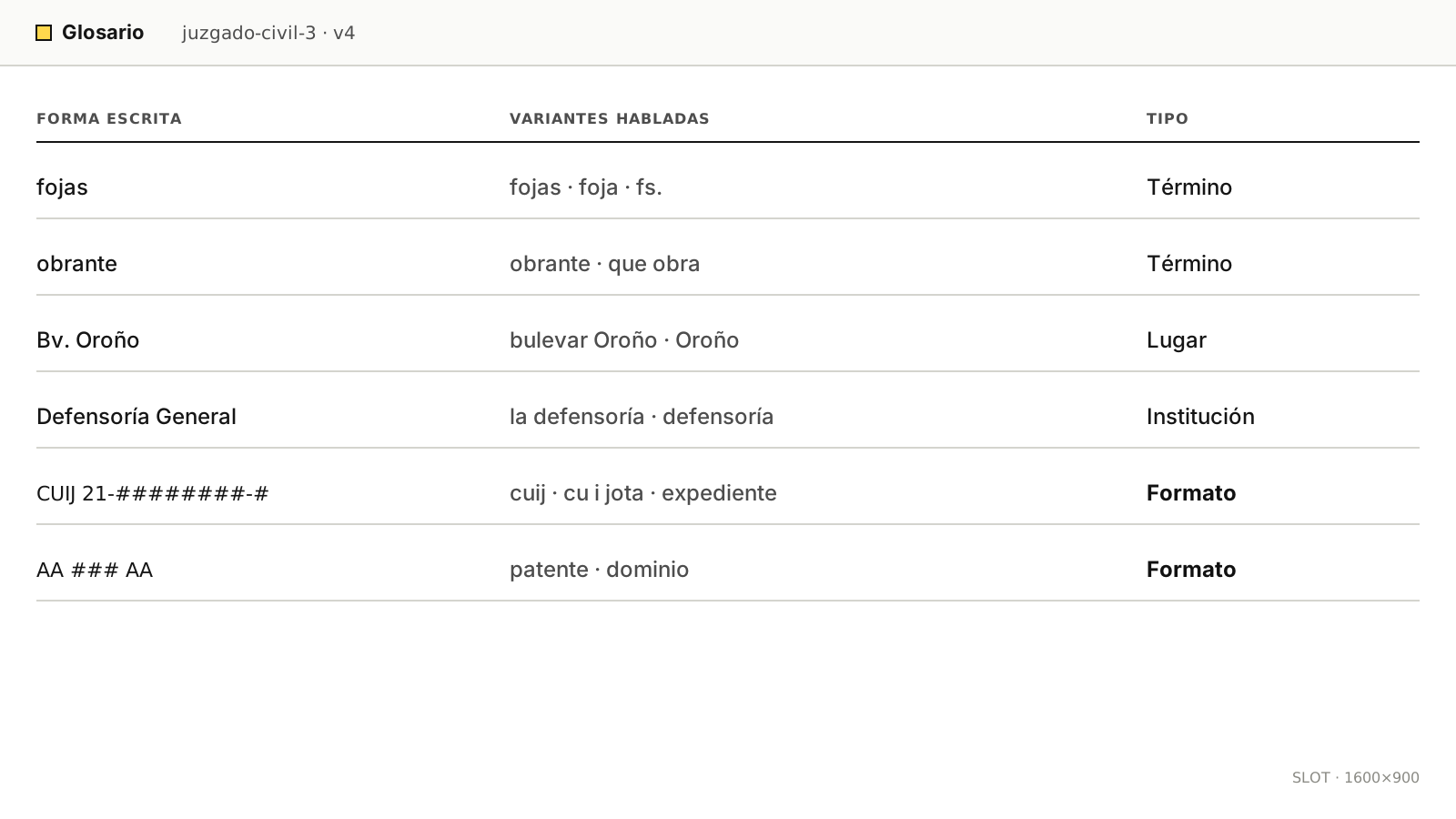
Each client gets its own glossary, loaded before the first file. It holds three kinds of entries:
- Terms: product names, surnames, street names, legal vocabulary.
- Spoken variants: how each term is actually said, including abbreviations and nicknames.
- Formats: patterns for case-file numbers, account numbers and plates. The output is checked against them.
Glossaries are versioned. Each transcript records the glossary version it used, so a result can be reproduced.
Diarization
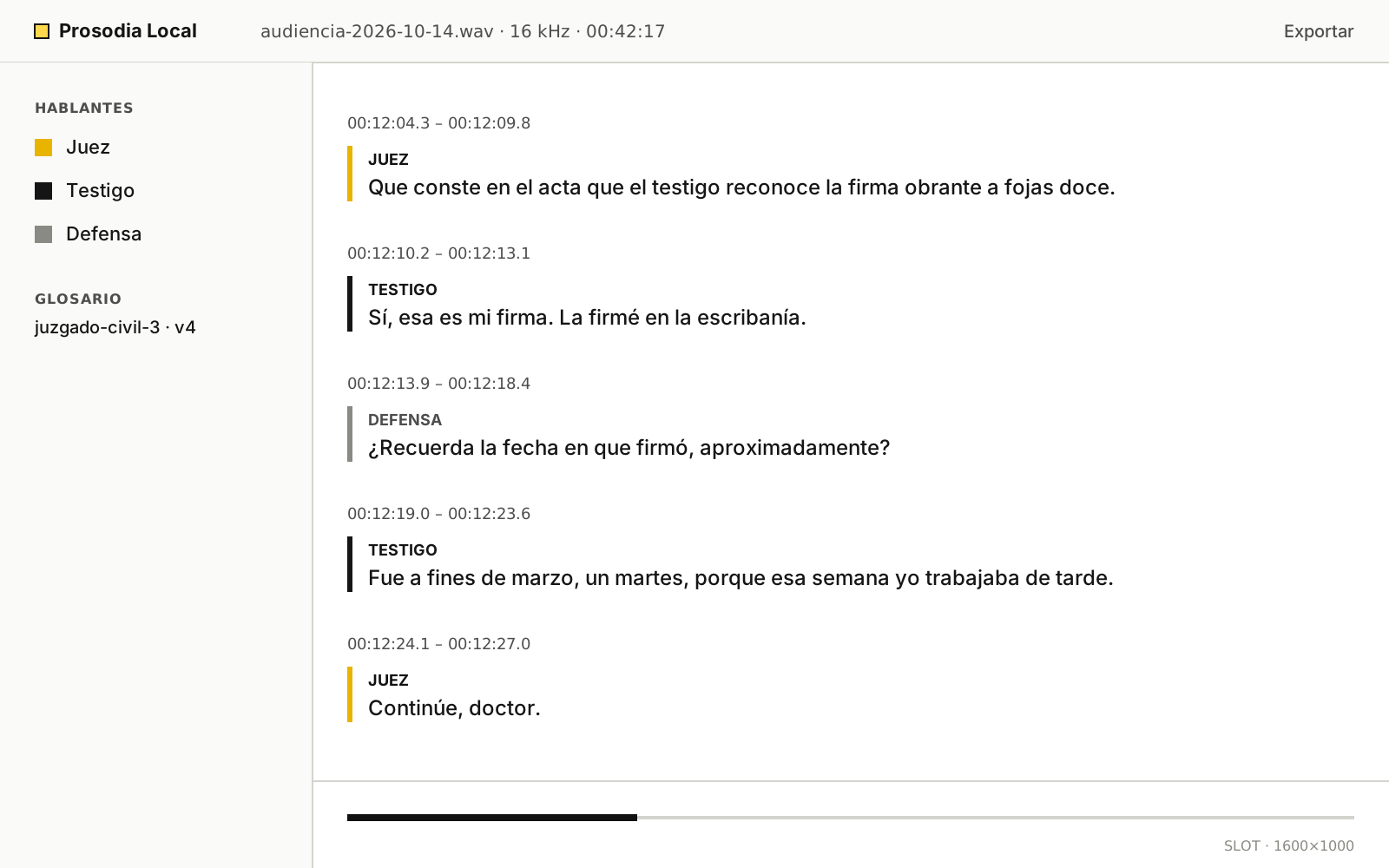
Diarization answers who spoke when. Prosodia Local separates up to 6 speakers per recording and labels each turn with its start and end time.
| Speakers in the recording | DER |
|---|---|
| 2 | 8.7% |
| Up to 6 | 14.2% |
Speakers come out as S1 to S6. You can rename them (agent, customer, judge, witness) and the names carry into every export. Definitions and protocol are on the benchmark.
Export
| Format | Contents |
|---|---|
| TXT | Plain text, one turn per line with speaker and start time |
| DOCX | Document with speakers and timestamps, ready to edit |
| SRT, WebVTT | Subtitles for playback next to the audio |
| JSON | Words with start and end times, confidence and speaker, for your own systems |
Integration: folder or API
Folder
Drop audio files into a watched folder on the server or on a network share. Transcripts appear in the output folder, in the formats you chose. No code needed.
API
HTTPS on your local network, with one token per client application. Send a file, then read the job until it is done.
# Example request. Host and token are set at installation.
curl -H "Authorization: Bearer $TOKEN" \
     -F "audio=@hearing.wav" -F "glossary=juzgado-civil-3" \
     https://prosodia.internal/api/v1/jobs

curl -H "Authorization: Bearer $TOKEN" \
     https://prosodia.internal/api/v1/jobs/$JOB_ID
Server requirements, hardening and offline updates are on Pricing and deployment.
Module
Acta, for courts
Acta turns the recording of a hearing into a draft record, in the court’s own format. It is in pilot at one court.
- Header fields filled from the case: case file, case title, court and date.
- Speakers labelled by procedural role: judge, prosecutor, defense, witness.
- A timestamp on every turn, so each passage can be checked against the audio.
- A SHA-256 hash of the source audio printed in the record, to show the file was not altered.
- Export to DOCX on the court’s template.
Acta produces a draft. The clerk reviews it and signs it; the system does not sign anything.